
Introduction
Writing your first blog post can feel scary. Many beginners do not know where to start. This how to write first blog post guide will show you simple steps to publish your first article with confidence.
Why Your First Blog Post Matters

Your first blog post sets the tone for your blog. It shows readers what to expect. It also helps Google understand your topic.
First, it builds trust with your readers. Second, it gives you momentum to write more. Third, it starts your journey to organic traffic. Also, it helps you find your writing style.
Blogging Tips for Beginners – Complete blogging guide
What You Need Before Writing
| Item | Why You Need It |
|---|---|
| A topic (niche) | Know what you will write about |
| A blog platform | WordPress, Blogger, or Medium |
| A focus keyphrase | One main keyword for the post |
| Basic writing tools | Google Docs or any text editor |
7 Steps to Write Your First Blog Post
Step 1: Pick a Topic
Do not write about everything. Pick one clear topic.
Good topics for beginners:
“5 Tips for [your niche] Beginners”
“How to Start [your niche] in 2026”
“My Top Tools for [your niche]”
“Beginner’s Guide to [your niche]”
Example: “5 SEO Tips for Beginners” (fits inkedspire.com)
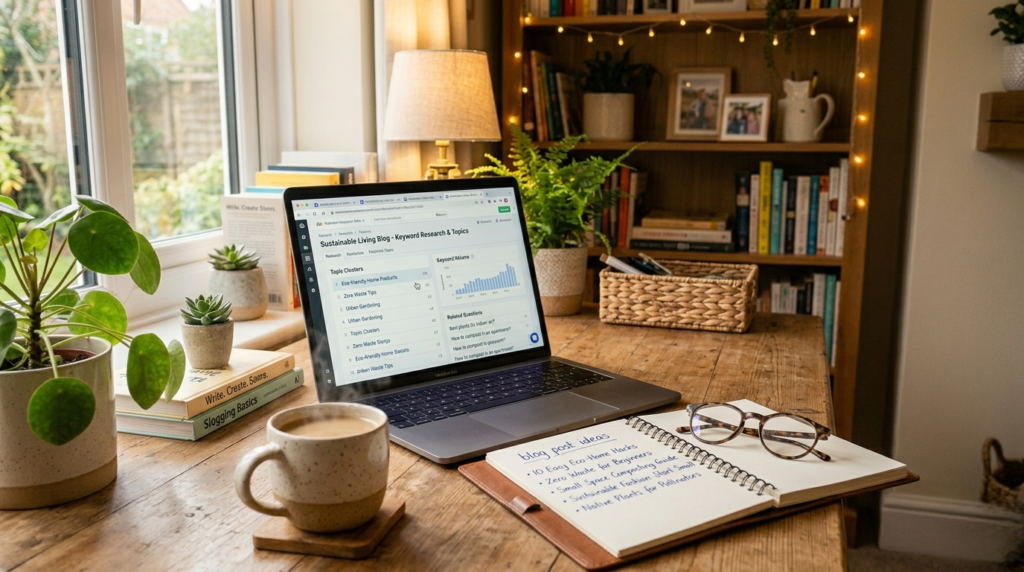
Step 2: Choose Your Focus Keyphrase
Every blog post needs one main keyword.
How to pick one:
Ask: What would someone type in Google?
Keep it simple (2-4 words)
Check if people search for it
Example:
| Topic | Focus Keyphrase |
|---|---|
| SEO tips | “SEO tips for beginners” |
| Writing help | “how to write first blog post” |
| Tool review | “best SEO tools” |
Related from inkedspire.com:
Keyword Research for Beginners – Learn to find the right keywords
Step 3: Create a Simple Outline
Do not start writing without a plan. Create an outline first.
Simple outline structure:
| Part | What to Write |
|---|---|
| Headline | Your title with focus keyphrase |
| Introduction | Hook + what they will learn |
| Main points | 3-5 tips or steps |
| Conclusion | Recap + call to action |
Example outline (SEO tips):
Hook: “Want free traffic from Google?”
Tip 1: Submit to Google Search Console
Tip 2: Use focus keyphrase in title
Tip 3: Write meta description
Tip 4: Add alt text to images
Tip 5: Be patient
CTA: “Share this post”
Step 4: Write the Introduction
Your introduction decides if people keep reading.
Good intro formula:
Hook – Grab attention (question, fact, or problem)
Problem – What is the reader struggling with?
Solution – How your post will help
Promise – What they will learn
Example intro:
“Do you want to get traffic from Google but do not know where to start? Many beginners feel the same way. In this post, I will show you 5 simple SEO tips to start ranking. Let’s dive in.”
.
Step 5: Write the Main Content
Now write your tips or steps.
For each point:
| Part | What to Write |
|---|---|
| Heading | Clear H2 or H3 |
| Explanation | Explain in simple words |
| Example | Give a real example |
| Action step | Tell them what to do |
Example (Tip 1):
H2: Submit Your Website to Google
Google cannot rank your site if it does not know you exist. You need to submit your site to Google Search Console.
Example: Go to Google Search Console, add your site, and submit your sitemap.
Action step: Create your Search Console account today.
Step 6: Write the Conclusion
End your post with a clear summary.
Conclusion formula:
Recap – Summarize main points
Final thought – What is the most important?
Call to action – What should they do next?
Example conclusion:
“SEO is not hard. Submit your site, use keyphrases, and be patient. Start with these 5 tips and you will see results.
👉 Your turn: Which tip will you start with? Comment below! “
Step 7: Edit and Publish
Do not publish immediately. Take time to edit.
Editing checklist:
| Check | What to Do |
|---|---|
| Spelling | Use spell check |
| Readability | Read out loud |
| Focus keyphrase | In title, first paragraph, headings |
| Images | Add alt text |
| Links | Check if they work |
| Length | 1000+ words is good |
Final step: Click publish and share your post!
Blog Post Checklist
| Task | Done? |
|---|---|
| Pick one clear topic | ☐ |
| Choose focus keyphrase | ☐ |
| Create outline | ☐ |
| Write introduction | ☐ |
| Write main content (3-5 points) | ☐ |
| Write conclusion + CTA | ☐ |
| Add images with alt text | ☐ |
| Add internal links (inkedspire.com) | ☐ |
| Add outbound links | ☐ |
| Edit and proofread | ☐ |
| Publish | ☐ |
Common Blog Writing Mistakes
| Mistake | Fix |
|---|---|
| No outline | Always plan first |
| Too long intro | Get to the point quickly |
| No examples | Give real examples |
| No call to action | Tell them what to do next |
| Poor formatting | Use headings and short paragraphs |
Sample First Blog Post Template
Title: [Your Title]
Focus Keyphrase: [Your Keyword]
Introduction:
[Hook] Many beginners struggle with [problem]. But it does not have to be hard. In this post, I will share [number] simple tips to [solve problem].
Body:
Tip 1: [Main point]
[Explanation]
[Example]
[Action step]Tip 2: [Main point]
[Explanation]
[Example]
[Action step]
Conclusion:
[Recap] [Final thought]
👉 Your turn: [Call to action]
How Long Should Your First Post Be?
| Length | Recommendation |
|---|---|
| 300-500 words | Too short (not enough) |
| 500-800 words | OK for beginners |
| 1000-1500 words | Good (recommended) |
| 1500+ words | Great for SEO |
For your first post: Aim for 800-1200 words.
Read more from our website:
Blogging Tips for Beginners – Complete blogging guide
Keyword Research for Beginners – Find the right keywords
Content Creation for Beginners – Create content that ranks
SEO for Beginners – Rank your blog posts
Final Thoughts
How to write your first blog post is easier than you think. Pick a topic, create an outline, write simple content, and edit before publishing. Your first post will not be perfect. But your 5th will be better. Your 10th will be good. Start today.
👉 Your first step today: Pick a topic and create an outline for your first blog post!