
Introduction
Most folks hope others see their site. To show up on Google without paying, try search engine optimization. This beginner path walks through what matters most when chasing rankings.
What Is SEO?

SEO stands for Search Engine Optimization. It means making your website better so that Google shows it to people when they search.
Simple example:
Someone searches: “how to make coffee”
Google shows the best websites about coffee
SEO helps your website become one of those results
Related from inkedspire.com:
Keyword Research for Beginners – Learn how to find keywords that rank
Why SEO Matters for Your Website
Without SEO, Google cannot find your website. With SEO, you get free traffic every day.
| Without SEO | With SEO |
|---|---|
| No one finds your website | People find you on Google |
| Zero organic traffic | Daily free traffic |
| Only traffic from friends | Traffic from all over the world |
| Hard to make money | Easy to grow and earn |
Related from inkedspire.com:
Blogging Tips for Beginners – Learn how to start your blog
How Google Works (Simple Explanation)
Google has three main jobs:
| Step | What Google Does | What You Should Do |
|---|---|---|
| Crawling | Google bots find your website | Submit your site to Google |
| Indexing | Google saves your pages | Make sure pages are not blocked |
| Ranking | Google decides who shows first | Optimize your content |
7 SEO for Beginners Tips (Start These Today)
1. Submit Your Website to Google
Google cannot rank you if it doesn’t know you exist.
How to submit:
Go to Google Search Console
Add your website (inkedspire.com)
Submit your sitemap
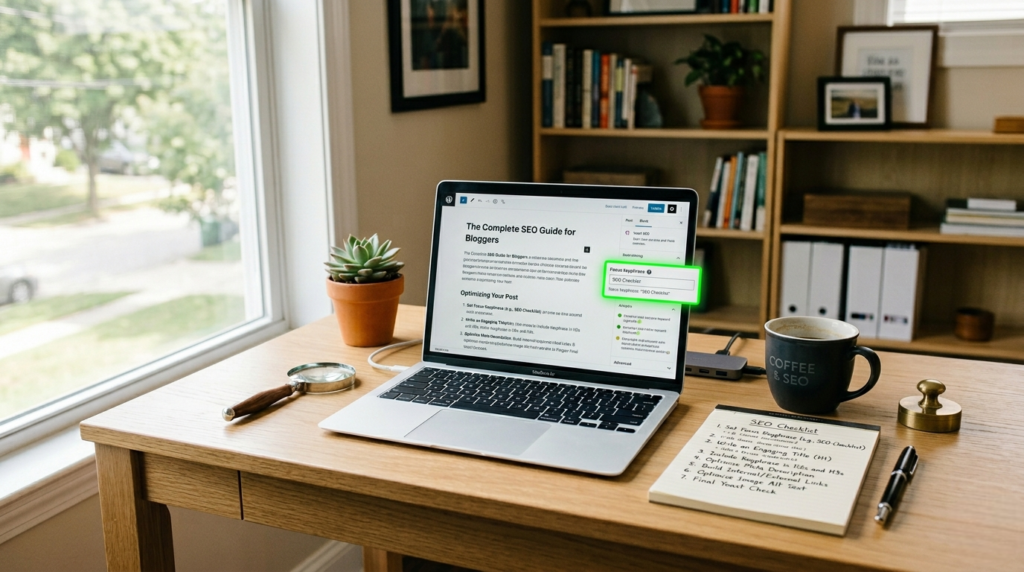
2. Use Your Focus Keyphrase
Every article needs one main keyword (focus keyphrase).
Example: If your article is about “SEO for beginners”
Put it in the title ✅
Put it in the first paragraph ✅
Put it in headings (H2) ✅
Put it in meta description ✅
3. Write Meta Descriptions
A meta description is the small text that shows under your title on Google.
Example:
SEO for beginners: Learn how to rank on Google, get free traffic, and optimize your website. Start today.
Rule: Keep it under 160 characters.
4. Use Headings (H1, H2, H3)
Headings help Google understand your content structure.
| Heading | Use For |
|---|---|
| H1 | Article title (only one) |
| H2 | Main sections |
| H3 | Sub-sections under H2 |
5. Add Alt Text to Images
Google cannot see images. Alt text tells Google what the image shows.
Example:
<img src="seo-beginner.jpg" alt="SEO for beginners working on laptop">
6. Get Backlinks
Backlinks are links from other websites to your website. They are like votes of trust.
How to get backlinks:
Write helpful content others want to share
Guest post on other blogs
Share your content on social media
7. Be Patient
SEO takes time. Results usually start showing after 3-6 months.
| Time | What Happens |
|---|---|
| Month 1-2 | Google finds your pages |
| Month 3-4 | Some keywords start ranking |
| Month 5-6 | Traffic starts growing |
| Month 6-12 | Consistent traffic daily |
Related from inkedspire.com:
Make Money Online for Beginners – Turn your traffic into income
Common SEO Mistakes Beginners Make
| Mistake | Fix |
|---|---|
| Not submitting to Google | Use Google Search Console |
| No focus keyphrase | Pick one keyword per article |
| Copying content | Write original content |
| Giving up too soon | Keep posting for 6 months |
| Ignoring mobile users | Make sure your site works on phones |

SEO Checklist for Every Article You Write
| Task | Done? |
|---|---|
| Focus keyphrase in title | ☐ |
| Focus keyphrase in first paragraph | ☐ |
| Use H2, H3 headings | ☐ |
| Write meta description (under 160 chars) | ☐ |
| Add alt text to images | ☐ |
| Link to other pages on inkedspire.com | ☐ |
| Add 1-2 outbound links to high-authority sites | ☐ |
Tools You Need for SEO (All Free)
| Tool | Use |
|---|---|
| Google Search Console | Submit site + track rankings |
| Google Analytics | See your traffic |
| Ubersuggest (free version) | Find keywords |
| Yoast SEO (for WordPress) | SEO checklist |
Read more from our website:
Keyword Research for Beginners – Learn how to find keywords that rank
Blogging Tips for Beginners – Start your blog the right way
Make Money Online for Beginners – Turn your traffic into income
Final Thoughts
SEO for beginners is not complicated. Start with the basics: submit your site to Google, use focus keyphrases, write meta descriptions, add alt text, and be patient. Do this for every article, and after 6 months, you will see real results.
👉 Your first step today: Go to Google Search Console and submit your website inkedspire.com!